
Scan.Track.Audit.
Assetodit gives every fixed asset a QR label, a location and a history. Staff scan with any phone, and finance gets a register it can audit, with depreciation built in.
For hotels, malls, factories, hospitals, campuses and offices.
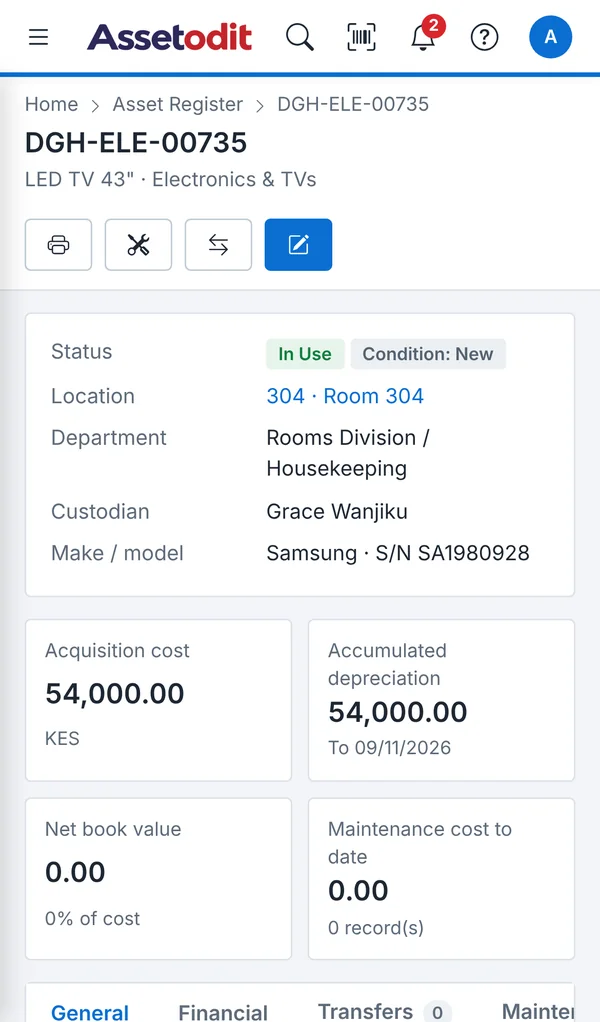
How it works
The same five steps, whether you look after 500 assets or 50,000.
Tag
Register each item once, with its category, cost and serial number. The system gives it a unique code and prints the label.
Place
Assign every item to a room, floor, line or department, and to the person responsible for it.
Scan
Anyone with a phone scans the label to see what the item is, where it belongs and its history.
Verify
Count a location by scanning its labels. Missing, extra and misplaced items are listed automatically.
Report
Book value, depreciation, movements and maintenance, filtered, charted and exported to Excel.
Inside Assetodit
Real screens from the demo system, with a sample hotel of 108 rooms and 2,500 assets.
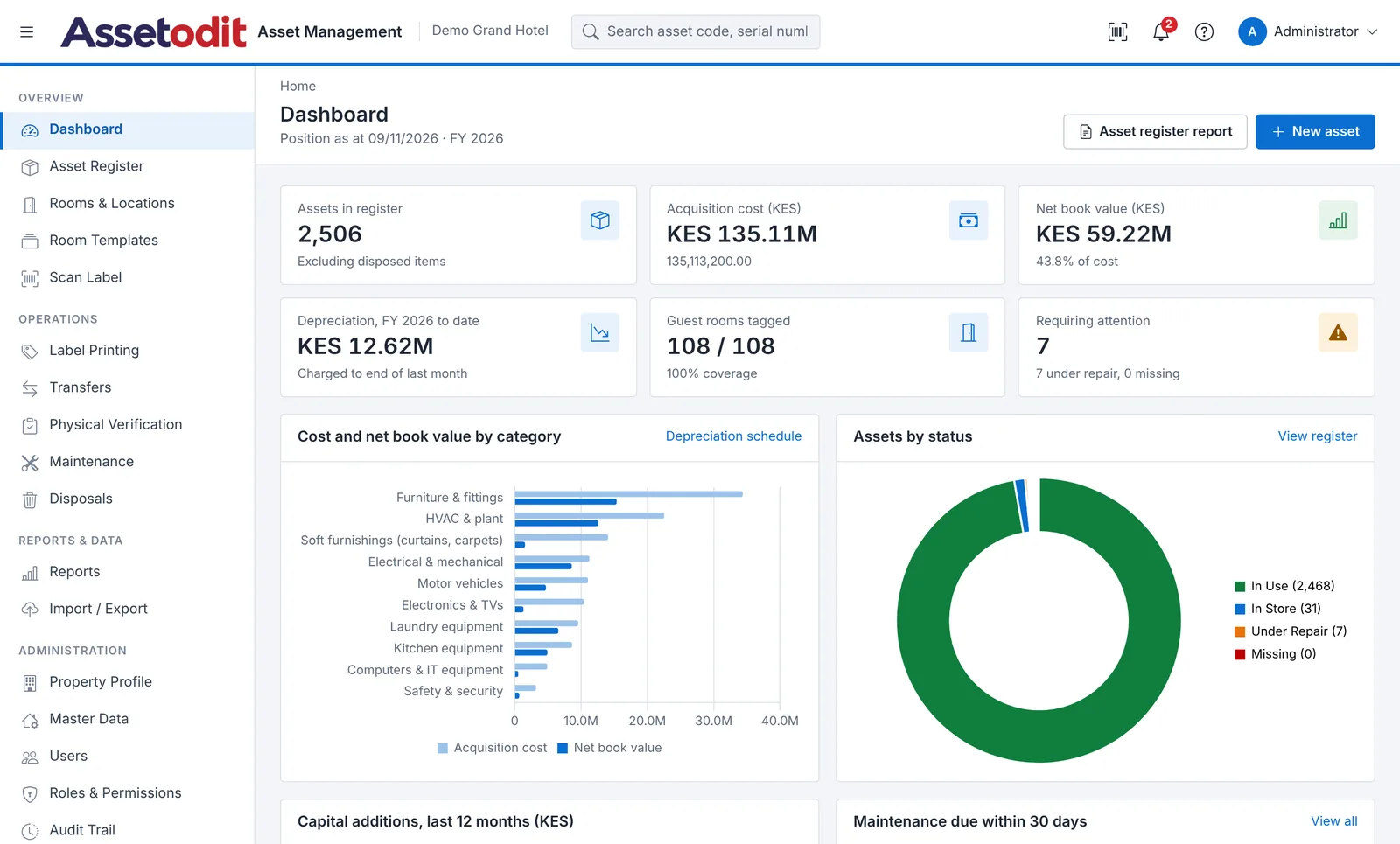
The position of the whole register at a glance
- Cost, net book value and depreciation for the year
- Coverage: how many rooms and locations are tagged
- Items under repair, missing or due for maintenance
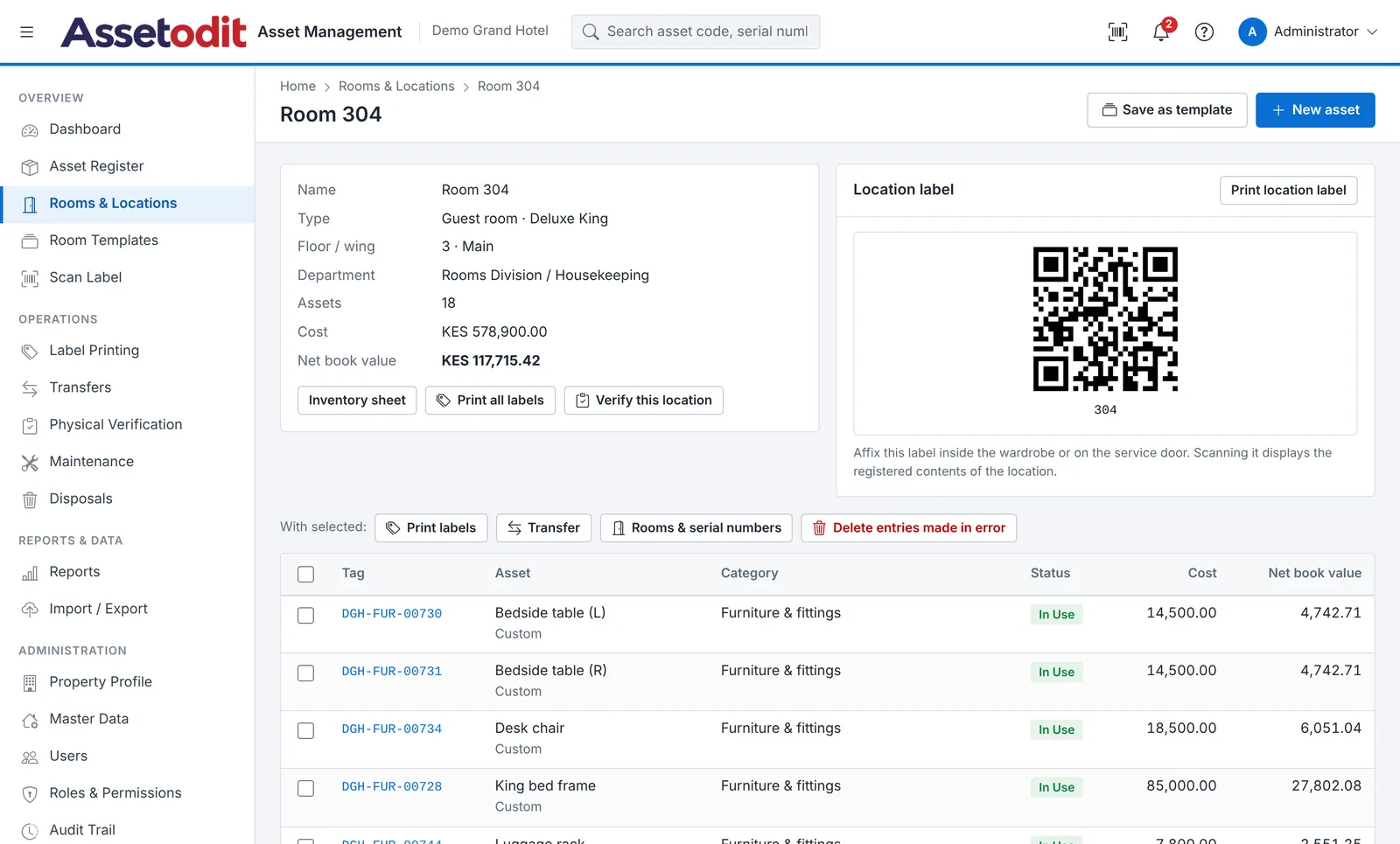
Every location has its own list
- Contents, cost and book value of the location
- A QR label for the location itself
- Inventory sheet, labels and verification in one place
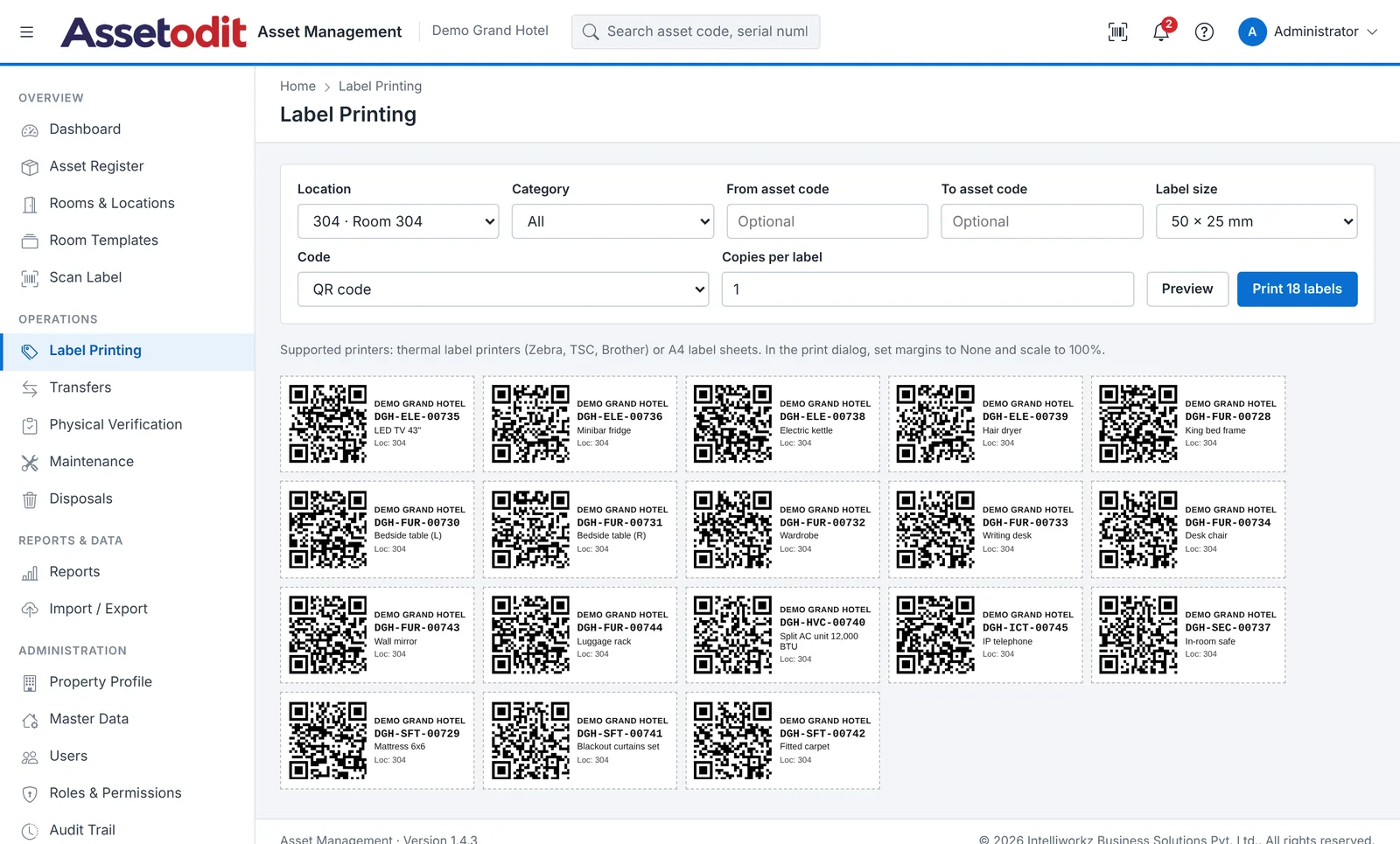
Print labels room by room
- QR code, barcode or both, in three sizes
- Print one location, one category or a range of codes
- Works with thermal printers and A4 label sheets
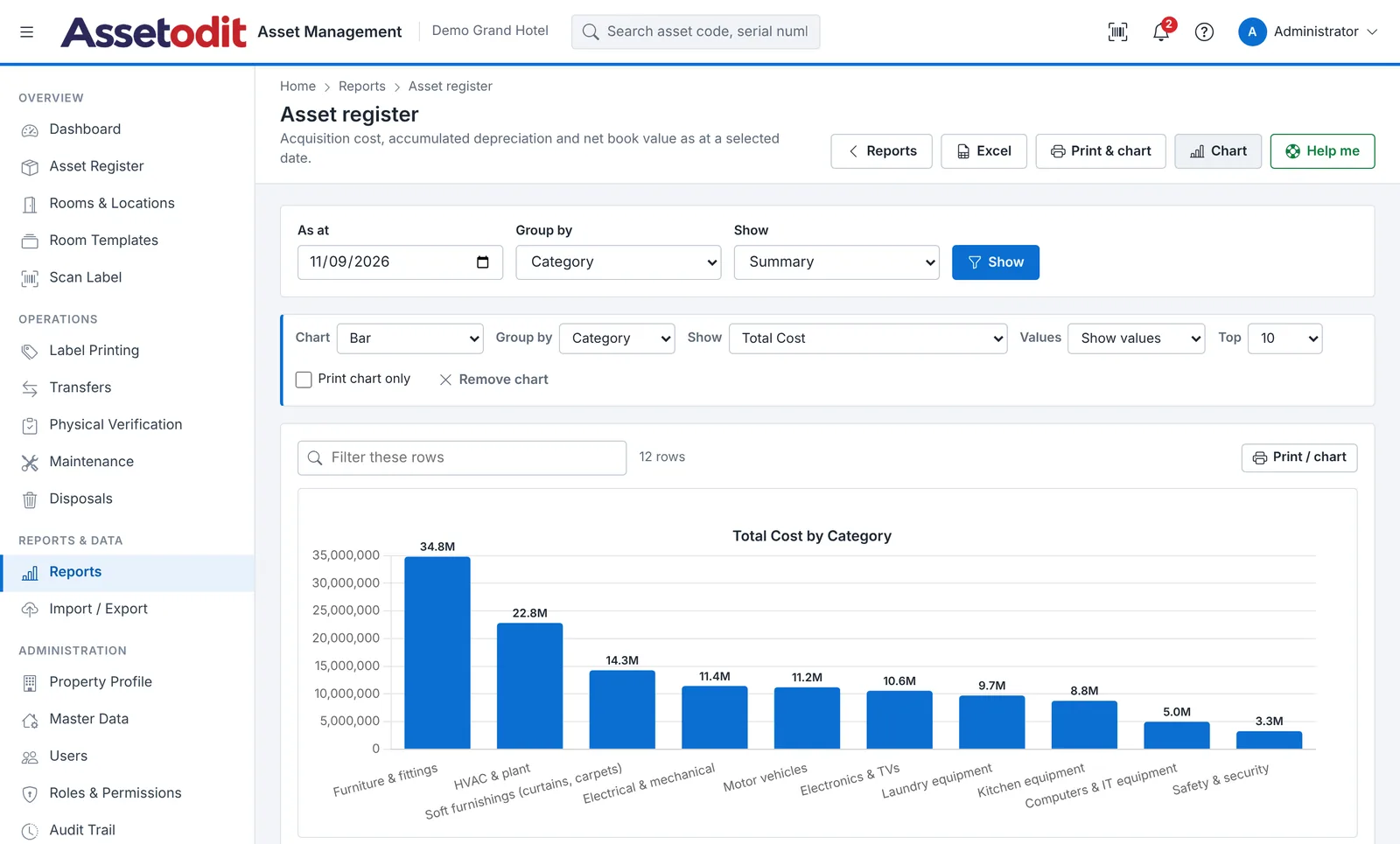
Reports you can filter, chart and export
- Register, depreciation, additions, disposals and transfers
- Filter and sort any column; totals follow the filters
- Bar, line and pie charts, print view and Excel
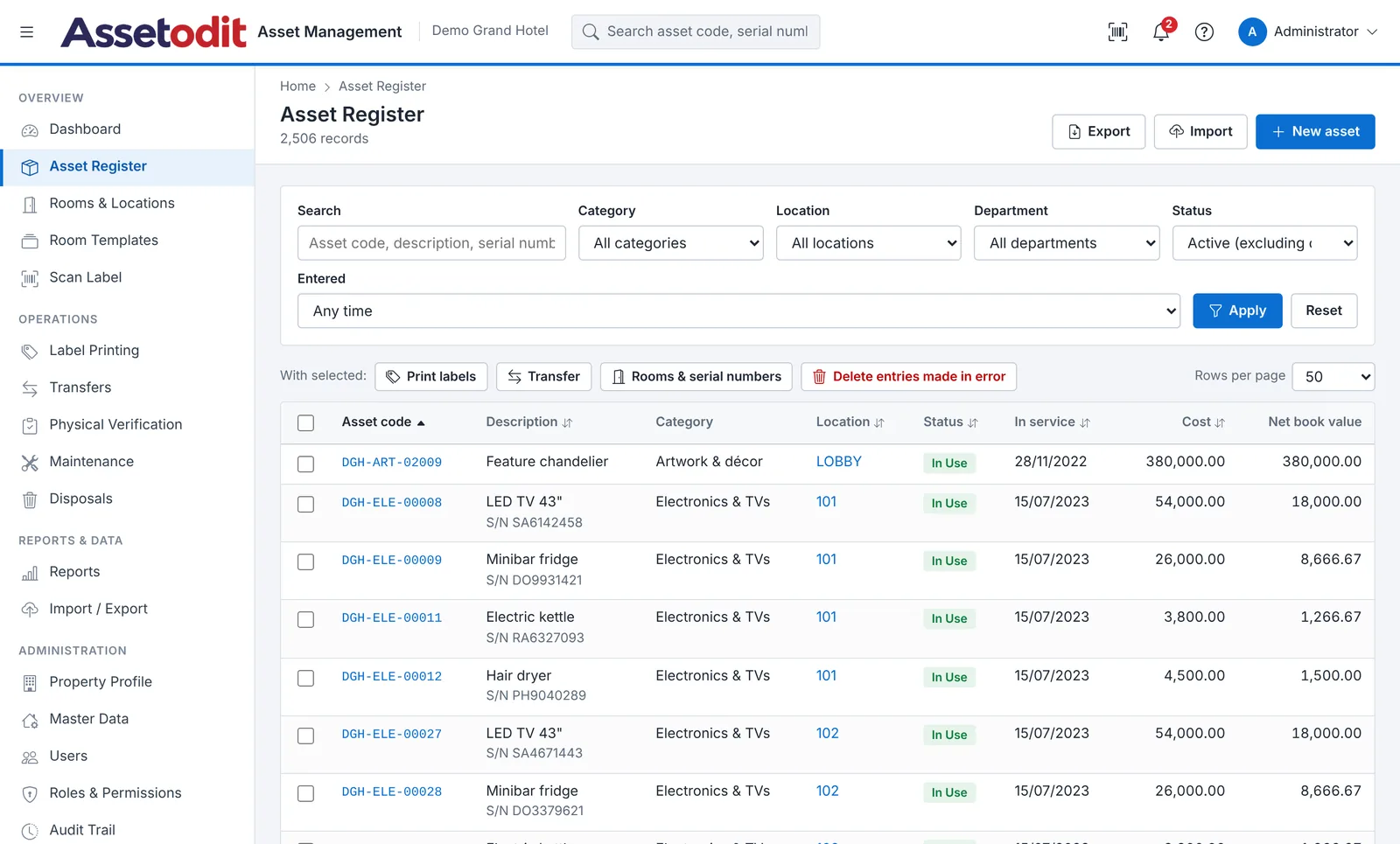
One record for every physical item
- Search by code, serial number, room or supplier
- Bulk transfer, labels and corrections
- Full change history for each asset
Built around locations
Assets live somewhere: a room, a shop floor, a ward, a classroom. Assetodit is organised the same way, which is why it fits so many kinds of organisation.
Hotels and resorts
Every room, outlet and back-of-house area with its own list of furniture, TVs, minibars and safes.
Shopping malls and retail
Common-area equipment, kiosks, signage and security systems across floors, zones and tenants.
Factories and industries
Machines, tools, moulds, IT and vehicles by plant, line and department, with depreciation and maintenance.
Hospitals and clinics
Medical equipment, beds and furniture by ward and room, with service records and warranty dates.
Schools and universities
Classroom, laboratory, hostel and ICT equipment across blocks and campuses.
Offices and corporates
Laptops, furniture and office equipment by branch, floor, department and employee.
Property and facility management
Furnished apartments, common areas and building plant across several properties.
Something else?
If your assets sit in locations, Assetodit can track them. Tell us what you look after.
Made to pass an audit
Assetodit follows the rule auditors check first: one physical item, one record, one label, one location.
- Every change is logged. Who changed what, when, with the old and new values.
- Roles and permissions. Storekeepers, housekeeping, engineering and finance see only what they need.
- Corrections, not deletions. Records with history can only be transferred or disposed of, with a reason.
- Physical verification. Scan a location, and the shortfall and the surplus are listed for follow-up.
- Depreciation at any date. Straight line or reducing balance, for any financial year.
Questions we are often asked
Do staff need to install an app?
No. Assetodit runs in the web browser on computers, tablets and phones. Staff scan labels with the phone camera, which opens the asset record directly.
Which label printers can we use?
Any thermal label printer that prints from a browser (for example Zebra, TSC or Brother), or a normal printer with A4 label sheets. Labels come in 50 × 25 mm, 38 × 25 mm and 70 × 35 mm.
Can we load our existing asset register?
Yes. Download the Excel template, paste your register with locations, cost and accumulated depreciation, and import it. The opening book values are kept as they are in your accounts.
Where is our data kept?
Assetodit is installed on a server you choose: your own hosting or a server we manage for you. The data stays in your database and can be exported to Excel at any time.
Does it post to our accounting system?
No. Assetodit is a standalone fixed asset register. Finance uses its reports and Excel exports for the depreciation journal and the year-end schedules.
How is depreciation calculated?
Straight line or reducing balance, set per category with a useful life, rate and residual value. Individual assets can have their own settings, and the financial year can start in any month.
See it with your own assets
Open the live demo, or send us a short note about your site and we will walk you through it.